Devlog, , 2 min read
Making it feel good
Squash and stretch, tiny haptic taps and slow motion for the biggest crash: the small details that make a puzzle feel good under your thumb.
Our rule for every game is short: every action gets an animation, a sound and, where the phone supports it, a tiny vibration. None of them is big on its own. Together they are the difference between tapping a screen and playing with a toy.
Squash and stretch
When a cat lands on its tile in Cat Corner, it squashes a little, stretches back and puffs out a bit of dust. A block in Surprise Cube crouches before it flies, then stretches as it speeds away. The cubes in Jelly Grid wobble when they land and when a neighbouring line clears. It is an old animation trick, and it makes solid 3D models feel soft and alive.
Saying no gently
A mistake is feedback, not a punishment. A wrong cat shakes its head and hops off. A blocked block in Surprise Cube bumps, wobbles and slides back. In Honk! Bus Jam two vehicles bump with a soft honk. You might lose a heart or a star, but the games never shout at you.
A tap you can feel
On Android phones a correct move gives an 8-millisecond buzz: barely there, but you notice it. A completed bowl in Fishbowl gets a slightly longer one. iPhones do not let web pages vibrate, so there the sounds and animations do the work.
Slow motion for the big moments
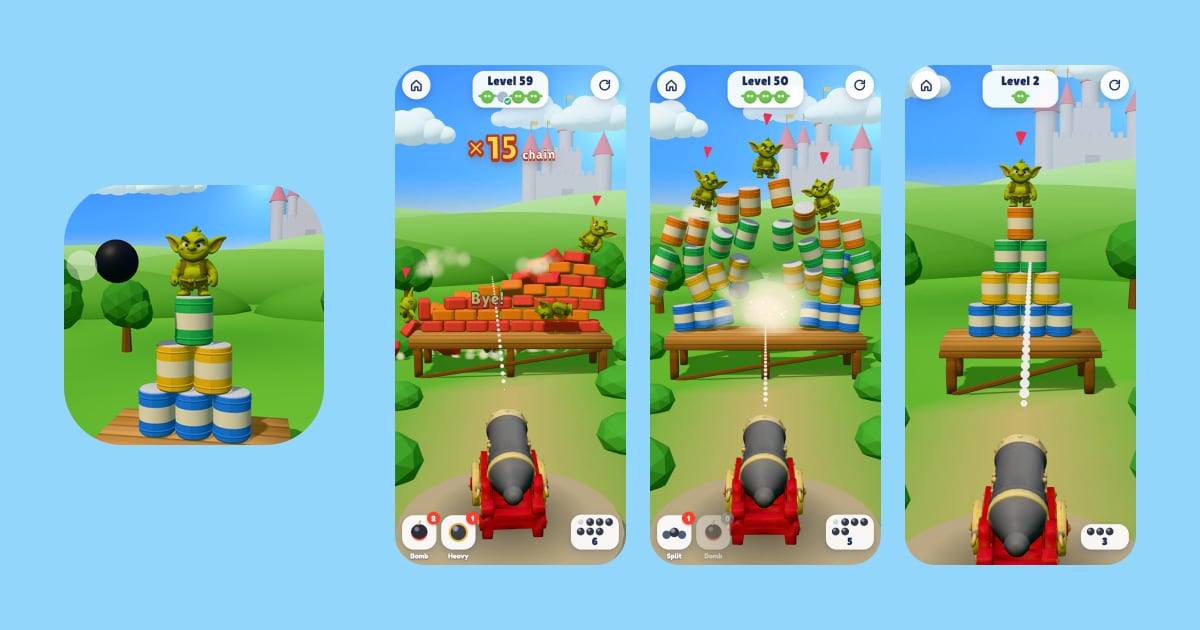
Topple! is our physics game, and its best moments are collapses. When a tower comes down, or when the last goblin falls, time slows for a moment and the camera shakes gently, so you get to watch what you just did. A chain counter climbs as one hit brings down more and more.
Never at the cost of speed
All of this has to run smoothly on an ordinary phone. The games keep their 3D scenes lean, cap the resolution they draw at, and lower it automatically if frames start to slow down. Smooth is part of what feels good.
More from the devlog
All devlog posts
Devlog,
Our journey so far
From our first learning games for kids in March to eight cosy 3D puzzle games in October: how Savas Games has changed in its first seven months.
Devlog,
How we pick ideas: reading the store charts
Each of our eight new games started from the October 2026 top charts. How we read them, what we look for, and how we find a twist of our own.
Devlog,
Puzzles that can always be solved
Nothing ruins a puzzle game like a level that cannot be won. How we build levels backwards, let solvers play every one of them and grade how hard they are.